# Quick Entry (/docs/guide/quick-entry)
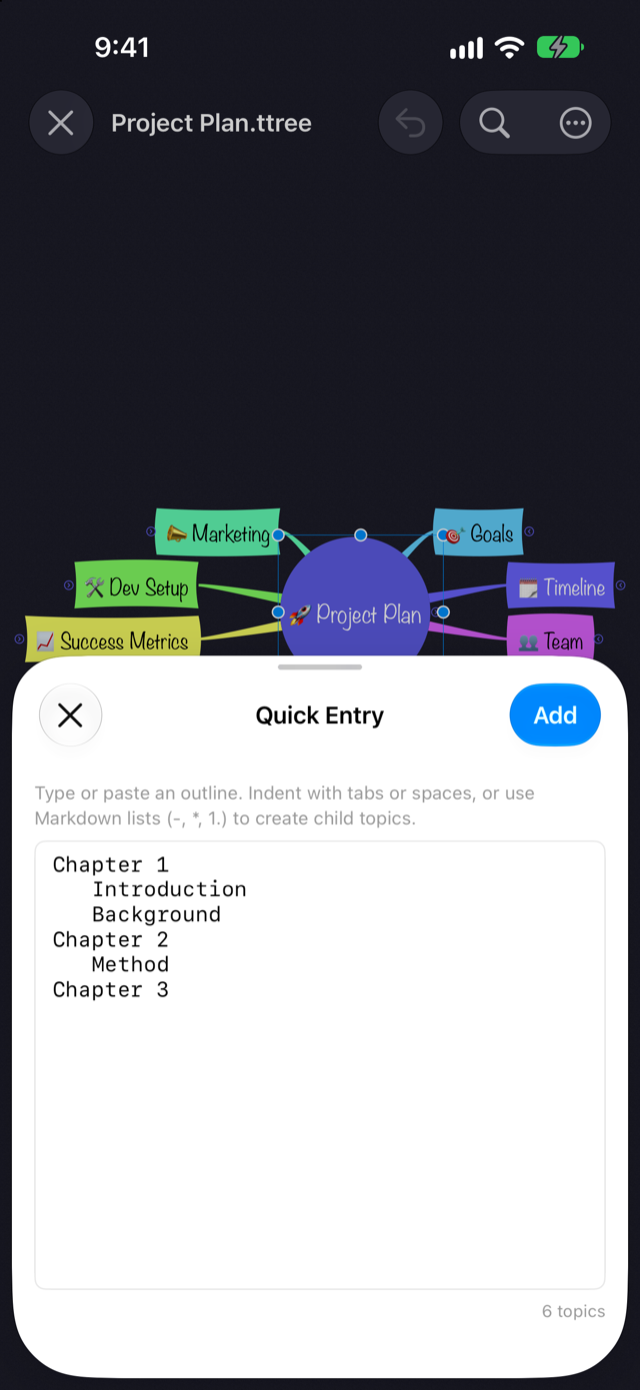
Type or paste indented, list-style text, and Thoughtree turns it into a branch of topics under whichever topic you picked, preserving the hierarchy. Use it when you want to get an idea out as text first, then convert it into a map.
## How to Use It [#how-to-use-it]
### macOS [#macos]
1. Select the topic you want to add children to (if nothing is selected, the map's center topic is used)
2. Choose **Topic → Quick Entry…** (`⇧⌘E`)
3. Type or paste your text, then click **Add**
### iPhone / iPad [#iphone--ipad]
1. Select the topic you want to add children to (if nothing is selected, the map's center topic is used)
2. Open the **…** menu in the top toolbar and choose **Quick Entry**. You can also reach the same screen from the **New** submenu that appears when you tap a topic again
3. Type or paste your text, then tap **Add**
When the sheet opens, if your clipboard already holds text that parses into an outline, it's filled in automatically.
## How to Write It [#how-to-write-it]
Indentation with tabs or spaces at the start of a line sets the hierarchy. You can optionally start a line with a single list marker — `-`, `*`, `+`, or a numbered marker like `1.` Blank lines are ignored.
```
Goals
Schedule
Internal review
Press release
Owners
```
Select a topic such as "Product Launch" and add this text: it creates three child topics — Goals, Schedule, and Owners — with two more children, Internal review and Press release, under Schedule.
## When to Use It [#when-to-use-it]
* Getting everything in your head out as text first, then turning it into a map
* Pasting in a hierarchical bullet list an AI assistant like ChatGPT or Claude wrote for you when you asked for one
Quick Entry is part of Thoughtree Pro. In Thoughtree Lite, importing a Markdown file gets you a similar text-to-hierarchy conversion.