# Thoughtree Pro (/docs/pro)
Thoughtree is a complete mind mapping app without paying anything — there's no limit on the number of maps, and iCloud sync, importing, and all core editing are free, in what's called **Thoughtree Lite**. **Thoughtree Pro** is an optional purchase that adds more themes, search across all your maps, more export formats (with no watermark), editable task attributes and conditional formatting, and a couple of platform-specific extras. This page compares the two so you can decide before you buy.
## Lite vs. Pro at a Glance [#lite-vs-pro-at-a-glance]
| Feature | Lite | Pro |
| -------------------------------------------------------------------------------------------------------------------------------------------- | ------------------------------------------------------------------------------------- | -------------------------------------------------------------------- |
| Core editing (topics, notes, links, attachments, collapsing, relationships, boundaries, callouts, groups, sort, auto-numbering, emoji icons) | ✓ | ✓ |
| Number of maps | Unlimited | Unlimited |
| iCloud sync | ✓ | ✓ |
| Import (`.itmz`, OPML, Markdown, FreeMind, XMind with embedded images, CSV, plain text, browser bookmarks) | ✓ | ✓ |
| Built-in image library (142 images) | ✓ | ✓ |
| Search within the open map | ✓ | ✓ |
| Themes | 2 (Sapling, Aurora) | All 12 |
| Search across all your maps, and from Spotlight | Search box opens and shows a result count | Full results |
| Export & printing | Plain text; PNG, PDF, and ⌘P printing (with a small "Made with Thoughtree" watermark) | Adds Markdown and OPML; PNG, PDF, and printing without the watermark |
| [Quick Entry](/docs/guide/quick-entry) (expand a pasted or typed outline into a branch of topics) | — | ✓ |
| Task attributes (due date, start date, priority, progress, effort, cost) | View only | Create and edit |
| Conditional formatting | View only (as set in an imported map) | Create and edit rules |
| Widget showing recent maps (iOS) | — | ✓ |
| [AI assistant integration via MCP](/docs/guide/ai-assistant) (Mac) | — | ✓ (including read-only tools) |
| Shortcuts actions | Create Map, Open Map | + Search Maps |
Task attributes and conditional formatting that already exist in an imported map — for example one brought in from iThoughtsX — are shown and applied in Thoughtree Lite too. What's Pro-only is creating or changing them yourself.
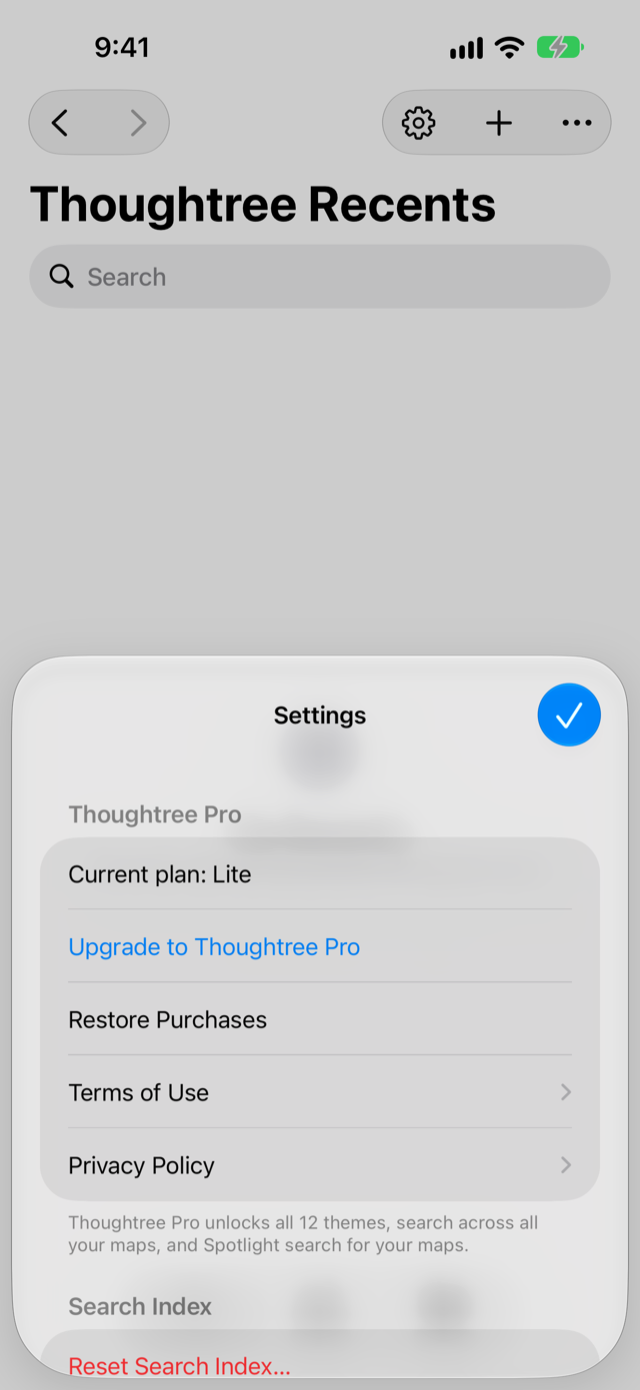 *Settings > Thoughtree Pro on iPhone*
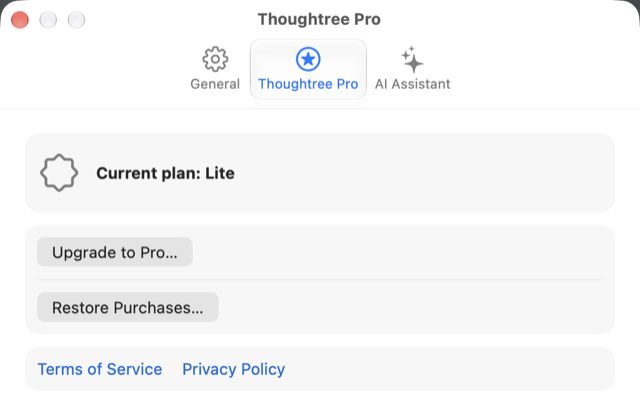 *Settings > Thoughtree Pro on Mac*
## What's in Thoughtree Pro [#whats-in-thoughtree-pro]
* **All themes** — all 12 built-in themes (Lite includes 2: Sapling and Aurora). More may be added over time.
* **Search across all your maps** — search topic text, notes, links, and attachment names across every map you have, plus search from Spotlight. The Shortcuts action "Search Maps" is also part of this. In Lite, the search box still opens and tells you how many matches exist elsewhere — you just can't open the results.
* **Export and printing without a watermark, plus more formats** — Lite can already export to plain text and to PNG/PDF/print (with a small "Made with Thoughtree" watermark in the corner). Pro removes that watermark and adds Markdown and OPML export.
* **[Quick Entry](/docs/guide/quick-entry)** — paste or type an outline and expand it into a branch of topics in one step.
* **Editable task attributes** — set a topic's due date, start date, priority, progress, effort, and cost.
* **Editable conditional formatting** — add and edit rules that automatically change how a topic looks based on its attributes.
* **Widget** (iOS only) — a Home Screen widget showing your recent maps.
* **[AI assistant integration (MCP)](/docs/guide/ai-assistant)** (Mac only) — let an AI assistant you connect yourself, such as Claude Code or Codex, read the maps in your Thoughtree folder, and add, edit, or rearrange topics if you separately allow it. The whole feature, including read-only use, requires Pro. It's off by default; you turn it on in Settings, and permission to edit is a separate switch from permission to read. Map content you expose this way reaches that assistant's own provider under their terms. Changes the assistant makes can be undone from history.
## Buying and Restoring [#buying-and-restoring]
* Thoughtree Pro is available two ways: a **one-time lifetime purchase** (pay once, use it forever) or an **auto-renewing annual subscription**. There's no monthly plan and no free trial — Thoughtree Lite itself has no time limit, so you can use it for as long as you like before deciding whether to upgrade.
* One purchase — lifetime or annual — covers Thoughtree on iPhone, iPad, and Mac when you're signed in with the same Apple ID. You don't need to buy it again on each device. On a device other than the one you bought it on, tap **Restore Purchases** in **Settings > Thoughtree Pro** once to turn Pro on.
* To buy Pro or restore a previous purchase, open **Settings > Thoughtree Pro** in the app.
* Prices are shown at whatever your local App Store displays.
* To manage or cancel the annual subscription, use your App Store account's subscription settings — Thoughtree doesn't have its own cancellation flow. The lifetime purchase is a one-time payment with nothing to cancel.
See the [Terms of Use](/terms-of-service) and [Privacy Policy](/privacy-policy) for the full purchase terms, and what's shared with RevenueCat to validate a purchase.
## If Your Annual Subscription Lapses [#if-your-annual-subscription-lapses]
Your maps aren't affected. Everything you created stays on your device (and in iCloud, if you use it), and every Lite feature keeps working. A map you already styled with a Pro theme still opens and looks the same — you just can't switch to a new Pro theme without active Pro. (This doesn't apply if you bought the lifetime option — it never expires.)
## FAQ [#faq]
### Do I need Thoughtree Pro to use Thoughtree at all? [#do-i-need-thoughtree-pro-to-use-thoughtree-at-all]
No. Everything listed as Lite above works without buying anything, for as many maps as you like.
### Does Pro cost extra per device or platform? [#does-pro-cost-extra-per-device-or-platform]
No. One Thoughtree Pro purchase — lifetime or annual — covers Thoughtree on iPhone, iPad, and Mac when you use the same Apple ID.
### Is there a free trial? [#is-there-a-free-trial]
No. Thoughtree Lite doesn't expire, so it works as an unlimited trial of the core app before you decide whether to buy Pro.
### Can multiple people edit a map together in real time? [#can-multiple-people-edit-a-map-together-in-real-time]
No, Thoughtree doesn't have real-time collaborative editing.
### Can I export a map back to `.itmz`? [#can-i-export-a-map-back-to-itmz]
No. Thoughtree can open and import `.itmz` files, but it doesn't export to that format. See [Saving, Syncing, and Search](/docs/guide/data-and-sync) for how `.itmz` files are handled.
### Is Thoughtree available anywhere other than the App Store? [#is-thoughtree-available-anywhere-other-than-the-app-store]
No, Thoughtree is only distributed through the (Mac) App Store.
### Is there a presentation mode? [#is-there-a-presentation-mode]
Not currently.
*Settings > Thoughtree Pro on Mac*
## What's in Thoughtree Pro [#whats-in-thoughtree-pro]
* **All themes** — all 12 built-in themes (Lite includes 2: Sapling and Aurora). More may be added over time.
* **Search across all your maps** — search topic text, notes, links, and attachment names across every map you have, plus search from Spotlight. The Shortcuts action "Search Maps" is also part of this. In Lite, the search box still opens and tells you how many matches exist elsewhere — you just can't open the results.
* **Export and printing without a watermark, plus more formats** — Lite can already export to plain text and to PNG/PDF/print (with a small "Made with Thoughtree" watermark in the corner). Pro removes that watermark and adds Markdown and OPML export.
* **[Quick Entry](/docs/guide/quick-entry)** — paste or type an outline and expand it into a branch of topics in one step.
* **Editable task attributes** — set a topic's due date, start date, priority, progress, effort, and cost.
* **Editable conditional formatting** — add and edit rules that automatically change how a topic looks based on its attributes.
* **Widget** (iOS only) — a Home Screen widget showing your recent maps.
* **[AI assistant integration (MCP)](/docs/guide/ai-assistant)** (Mac only) — let an AI assistant you connect yourself, such as Claude Code or Codex, read the maps in your Thoughtree folder, and add, edit, or rearrange topics if you separately allow it. The whole feature, including read-only use, requires Pro. It's off by default; you turn it on in Settings, and permission to edit is a separate switch from permission to read. Map content you expose this way reaches that assistant's own provider under their terms. Changes the assistant makes can be undone from history.
## Buying and Restoring [#buying-and-restoring]
* Thoughtree Pro is available two ways: a **one-time lifetime purchase** (pay once, use it forever) or an **auto-renewing annual subscription**. There's no monthly plan and no free trial — Thoughtree Lite itself has no time limit, so you can use it for as long as you like before deciding whether to upgrade.
* One purchase — lifetime or annual — covers Thoughtree on iPhone, iPad, and Mac when you're signed in with the same Apple ID. You don't need to buy it again on each device. On a device other than the one you bought it on, tap **Restore Purchases** in **Settings > Thoughtree Pro** once to turn Pro on.
* To buy Pro or restore a previous purchase, open **Settings > Thoughtree Pro** in the app.
* Prices are shown at whatever your local App Store displays.
* To manage or cancel the annual subscription, use your App Store account's subscription settings — Thoughtree doesn't have its own cancellation flow. The lifetime purchase is a one-time payment with nothing to cancel.
See the [Terms of Use](/terms-of-service) and [Privacy Policy](/privacy-policy) for the full purchase terms, and what's shared with RevenueCat to validate a purchase.
## If Your Annual Subscription Lapses [#if-your-annual-subscription-lapses]
Your maps aren't affected. Everything you created stays on your device (and in iCloud, if you use it), and every Lite feature keeps working. A map you already styled with a Pro theme still opens and looks the same — you just can't switch to a new Pro theme without active Pro. (This doesn't apply if you bought the lifetime option — it never expires.)
## FAQ [#faq]
### Do I need Thoughtree Pro to use Thoughtree at all? [#do-i-need-thoughtree-pro-to-use-thoughtree-at-all]
No. Everything listed as Lite above works without buying anything, for as many maps as you like.
### Does Pro cost extra per device or platform? [#does-pro-cost-extra-per-device-or-platform]
No. One Thoughtree Pro purchase — lifetime or annual — covers Thoughtree on iPhone, iPad, and Mac when you use the same Apple ID.
### Is there a free trial? [#is-there-a-free-trial]
No. Thoughtree Lite doesn't expire, so it works as an unlimited trial of the core app before you decide whether to buy Pro.
### Can multiple people edit a map together in real time? [#can-multiple-people-edit-a-map-together-in-real-time]
No, Thoughtree doesn't have real-time collaborative editing.
### Can I export a map back to `.itmz`? [#can-i-export-a-map-back-to-itmz]
No. Thoughtree can open and import `.itmz` files, but it doesn't export to that format. See [Saving, Syncing, and Search](/docs/guide/data-and-sync) for how `.itmz` files are handled.
### Is Thoughtree available anywhere other than the App Store? [#is-thoughtree-available-anywhere-other-than-the-app-store]
No, Thoughtree is only distributed through the (Mac) App Store.
### Is there a presentation mode? [#is-there-a-presentation-mode]
Not currently.