Thoughtree Guide
Quick Entry
Turn typed or pasted text into a branch of topics in one step
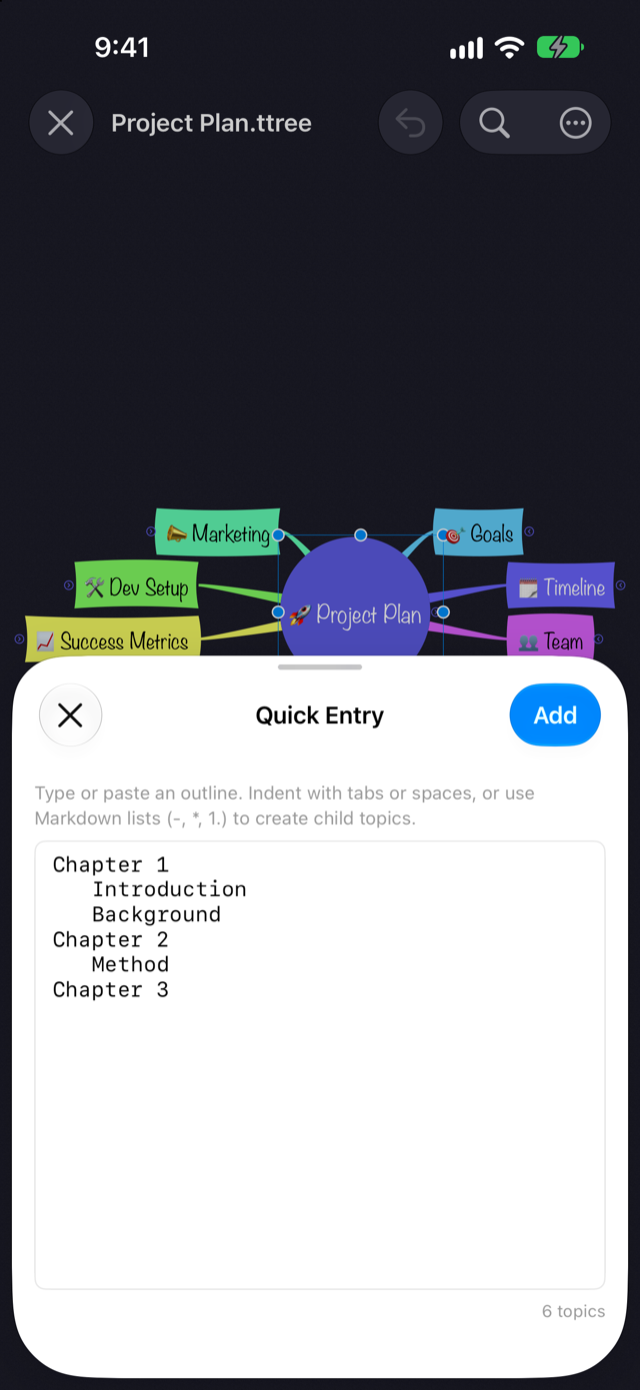
Type or paste indented, list-style text, and Thoughtree turns it into a branch of topics under whichever topic you picked, preserving the hierarchy. Use it when you want to get an idea out as text first, then convert it into a map.
How to Use It
macOS
- Select the topic you want to add children to (if nothing is selected, the map's center topic is used)
- Choose Topic → Quick Entry… (
⇧⌘E) - Type or paste your text, then click Add
iPhone / iPad
- Select the topic you want to add children to (if nothing is selected, the map's center topic is used)
- Open the … menu in the top toolbar and choose Quick Entry. You can also reach the same screen from the New submenu that appears when you tap a topic again
- Type or paste your text, then tap Add
When the sheet opens, if your clipboard already holds text that parses into an outline, it's filled in automatically.
How to Write It
Indentation with tabs or spaces at the start of a line sets the hierarchy. You can optionally start a line with a single list marker — -, *, +, or a numbered marker like 1. Blank lines are ignored.
Goals
Schedule
	Internal review
	Press release
Owners
Select a topic such as "Product Launch" and add this text: it creates three child topics — Goals, Schedule, and Owners — with two more children, Internal review and Press release, under Schedule.
When to Use It
- Getting everything in your head out as text first, then turning it into a map
- Pasting in a hierarchical bullet list an AI assistant like ChatGPT or Claude wrote for you when you asked for one
This is a Thoughtree Pro feature
Quick Entry is part of Thoughtree Pro. In Thoughtree Lite, importing a Markdown file gets you a similar text-to-hierarchy conversion.